Best AI Video Generation Tools in 2026: Sora, Runway, Veo Compared
July 3, 2026 • 10 min read • by ToolWiszz
Why AI Video Generation Actually Matters in 2026
Three months ago, I watched a 90-second product demo generated entirely by AI. The lighting changed correctly. The camera moved like a real DP operated it. The spokesperson blinked naturally.
That demo cost $0.12 to produce.
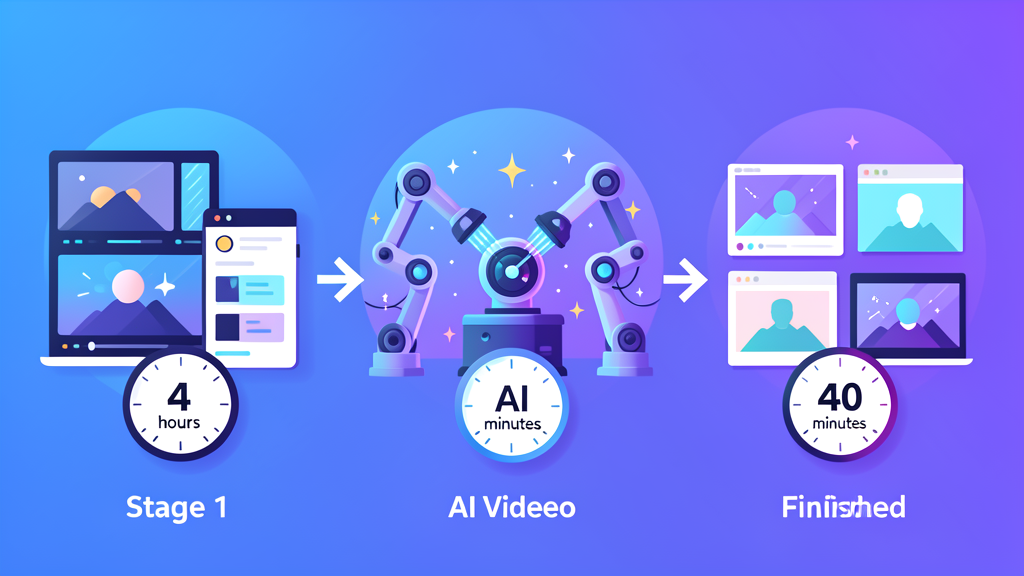
Compare that to hiring a crew, renting gear, finding a location, and spending two full days shooting. You're looking at $5,000 minimum for the same product video.
That's the state of AI video generation in 2026. It isn't science fiction anymore. It's a production tool that cuts costs and timelines dramatically.
This guide breaks down the current landscape. No hype. No affiliate fluff. Just what each tool actually does well, where it stumbles, and how to pick the right one for your project.
How We Got Here
Text-to-video models started hitting mainstream in 2023. Runway dropped Gen-2 in March. OpenAI teased Sora in February 2024. Google released Veo in late 2024 and Veo 3 in May 2025.
The jump from 2024 to 2026 is what changed everything.
2024 outputs were impressive in a "wow, AI made this" way. They also had obvious flaws. Characters had extra fingers. Motion was jittery. Audio was nonexistent. 2025 and early 2026 models fixed most of that.
Google Veo 3 added audio generation in May 2025. Lightricks' LTX-2 added full open-source audio and video capabilities in October 2025. February 2026 brought ByteDance's Seedance 2.0, then 2.5 in July 2026, which now generates 30-second clips with editable local details without full regeneration.
The technology went from "neat trick" to "usable tool" in roughly 18 months. See the full history at https://en.wikipedia.org/wiki/Text-to-video_model.
The Heavy Hitters: Sora, Runway, and Google Veo
OpenAI Sora
Sora remains the most talked-about option. OpenAI's model generates up to 1-minute clips with high coherence. The visual quality is hard to beat — textures, lighting, and camera movement look cinematic.
OpenAI recently launched Sora 2, which improved consistency across multiple shots. The model still struggles with physics and complex human interactions. Watch a Sora video closely and you'll notice the uncanny valley in small movements.
Sora works best for: marketing content, conceptual visuals, social clips, and anything where you need a specific aesthetic without hiring a production team.
Pricing is credit-based. Plans start around $20/month for standard access. Priority access pushes the price higher.
Runway Gen-3 Alpha
Runway built its reputation with Gen-1 and Gen-2. Gen-3 Alpha, released in mid-2024 and updated through 2025, is their strongest offering yet.
The big advantage? Control. Runway gives you more knobs to turn — style presets, motion strength, seed locking for consistency, and an editor interface that photographers and videographers actually understand.
Runway also integrates with image generators. You can feed an existing image into Gen-3 and animate it. That's huge for storyboards and concept videos.
In March 2025, Runway released Gen-4, which solved character consistency. Previous versions would morph a character's face between shots. Gen-4 keeps faces stable.
Runway works best for: creative professionals, animation, music videos, and anyone who wants more control over the final look.
Plans start at $12/month. Standard plan gives 625 credits. Realistically, you need more for serious work.
Google Veo 3
Google entered late but hit hard. Veo, available through Google DeepMind and integrated into YouTube Shorts tools, generates 1080p clips up to 60 seconds.
Veo 3's differentiator is audio. Most AI video models only produce silent video. Veo 3 generates synchronized audio — dialogue, sound effects, ambient noise. That's a massive time save. You don't need to add audio in post.
The quality is comparable to Sora. Google's training data advantage shows in realistic environments and natural lighting. Google also offers Veo through an API for developers building video features into apps.
Veo works best for: YouTube content, training videos, explainer clips, and projects where built-in audio saves hours of post-production.
The Specialized Contenders
Luma Dream Machine
Luma Labs launched Dream Machine in June 2024. It's web-based, fast, and surprisingly good at realistic motion.
Dream Machine produces 5-second clips instantly. It's the quickest way to test a prompt before committing to longer generations elsewhere.
Where it shines: character animation and physics. Objects move with believable weight. Characters walk without floating.
Limitation: max duration is short. You'll need to chain multiple 5-second clips and edit them together for anything longer.
Pricing has a free tier with daily generations. Paid plans remove limits.
Pika Labs
Pika Labs operates through Discord and web. The community aspect matters here — you see what others are creating and can learn from their prompts.
Pika is strongest at stylized content. Anime, cartoons, motion graphics — Pika handles artistic styles better than most photorealistic models.
In 2025, Pika introduced Pika 1.5 and later Pika 2.0, which improved video quality and added lip-syncing for character dialogue.
Free tier gives 30 seconds of video daily. Paid plans unlock more duration and higher resolution.
Kling AI
Kuaishou's Kling AI went international in June 2024. It's a Chinese model that punches well above its weight.
Kling generates clips up to 10 minutes long. That's an outlier. Most competitors cap at 30-60 seconds. For anyone needing long-form AI video — tutorials, lectures, extended narratives — Kling deserves a look.
The quality is solid, though slightly behind Sora and Veo on photorealism. The length and pricing make it attractive for volume creators.
Seedance 2.0 / 2.5 by ByteDance
Seedance 2.0, released February 2026, went viral after a demo showed a hyper-realistic Brad Pitt vs Tom Cruise fight scene. The Motion Picture Association criticized it heavily for copyright concerns.
ByteDance followed with Seedance 2.5 in July 2026. The new version generates 30-second native videos and introduced local editing — modify specific regions of a scene without regenerating the whole clip.
This is currently the most advanced public model for real-world photorealism and motion control.
Availability: primarily through app stores in China and select international partners. Wider global rollout expected later in 2026.
Choosing the Right Tool
Here's a practical framework:
Need the best visual quality and can afford it? Start with Sora or Veo 3. Both produce studio-grade results. Pick Veo if you need audio built in.
Need creative control and editing workflow? Runway Gen-3 or Gen-4. The editor interface, style controls, and motion adjustment tools are unmatched.
Need speed over perfection? Dream Machine or Pika. Both are fast enough to iterate on ideas in real time.
Need long-form content (over 60 seconds)? Kling AI or Seedance 2.5.
Need stylized or animated content? Pika Labs handles artistic styles better than photorealism-focused models.
Most creators end up using 2-3 tools together. Generate base clips in Sora. Polish and adjust timing in Runway. Add titles and music in CapCut.
What to Watch in 2026
The industry is moving fast. Open-source models like Lightricks' LTX-2 are democratizing access. Integration with existing production tools (Adobe, Google Workspace) is accelerating.
We're also seeing the first Hollywood-level backlash — writers, actors, and studios pushing back on AI-generated likenesses. That regulatory environment will affect what tools are available and how they work.
If you're not experimenting with AI video tools yet, you're falling behind. Check out our guides on Google Vids for video editing and broader AI productivity tools to understand why video is the next frontier.
Start small. Generate one clip. Test it in your workflow. The tools will improve regardless — getting familiar now puts you ahead when they become production standard.
Comments